
A budget app that never asks for your bank login
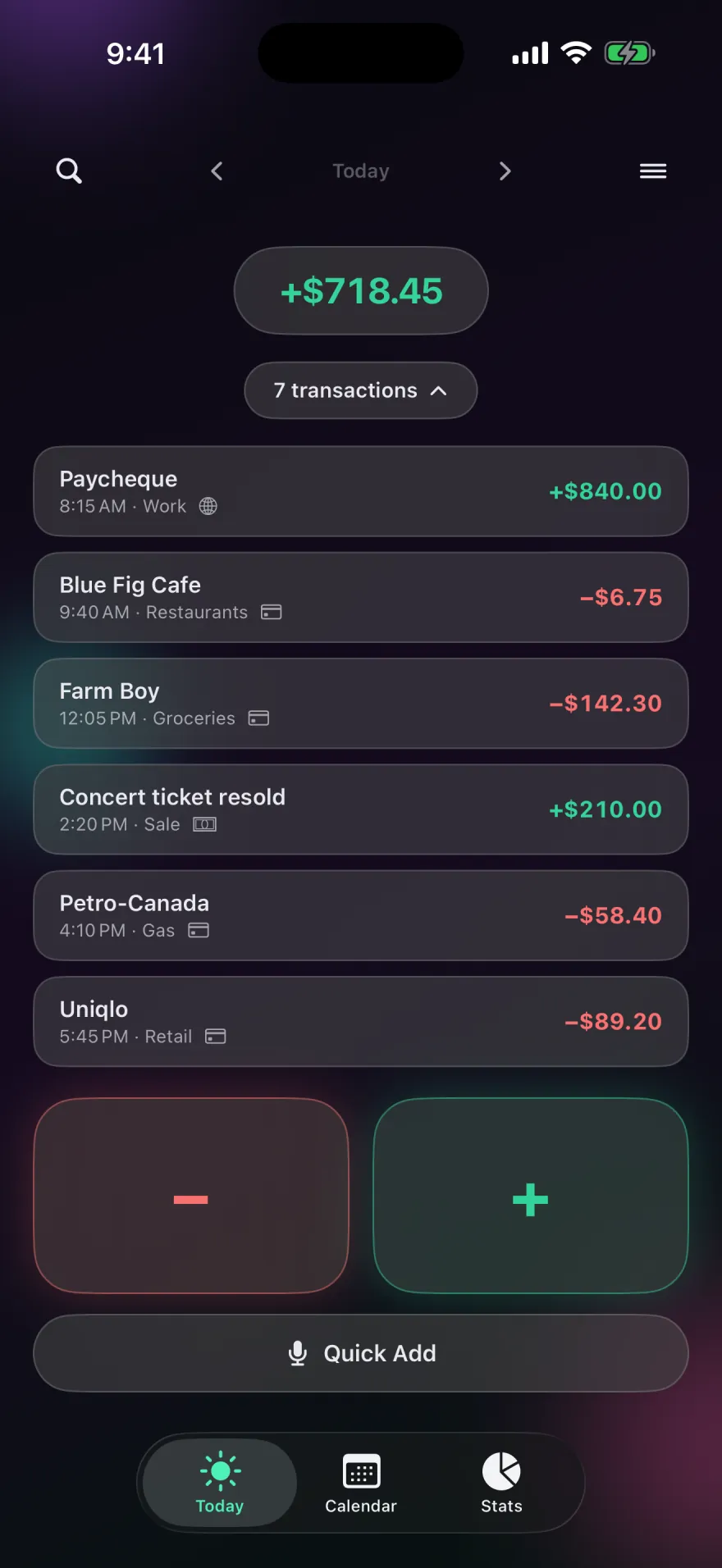
Pocket PnL tracks your income and spending without connecting to a bank, a card or a broker. There's no sign-up and no ads, and your entries live on your iPhone and in your own iCloud.

Free on iPhone. Needs iOS 17 or later.
Why people skip bank syncing
Many budgeting apps connect to your bank through a data aggregator. You sign in with your bank details, and your transaction history flows to the aggregator and on to the app's servers. Plenty of people are comfortable with that. Others would rather not, for reasons like these:
- Who holds your history. Every purchase you make, with dates and places, ends up on servers run by companies you didn't choose directly.
- Connections break. Bank links expire and need signing in again, and a missed sync can leave gaps you don't notice.
- Some accounts don't connect at all, like cash, a small credit union, or money held abroad.
- Watching is different from noticing. When transactions import themselves, it's easy to stop looking at them. Logging a purchase yourself takes a few seconds and makes you register it.
How Pocket PnL works instead
You log entries yourself, and the app is built so that takes as little effort as possible:
- Tap minus or plus and type an amount. A note, a tag and a card are optional.
- Say or type a sentence with Quick Add, like "spent 24 on groceries".
- Scan a receipt and check what it read.
- Let recurring entries handle rent, pay and subscriptions.
- Use a widget or Siri without opening the app, and set daily reminders.
Your entries save on your iPhone first, so the app works offline, and sync through your private iCloud database. The developer has no server holding your data and no way to read it.
What you give up
Being honest about the trade: without a bank link, nothing appears in the app unless you or a recurring rule puts it there. If you forget to log for a week, those entries are missing until you add them. Pocket PnL also doesn't import bank statements. If you want every transaction pulled in automatically, a bank-linked app is the better fit.
Side by side
| Typical bank-linked app | Pocket PnL | |
|---|---|---|
| Account | Email and password | None |
| Bank login | Yes, through an aggregator | Never |
| Where transactions live | The company's servers | Your iPhone and your iCloud |
| Getting entries in | Automatic import | Tap, voice, receipt scan, recurring rules |
| Works offline | Usually limited | Fully |
| Ads | Varies | None |
| Price | Often a subscription | Free to log; Pro $29.99 once or $9.99 a year for receipts |
Questions
Is it safe to use a budget app without linking my bank?
It means fewer places hold your financial details. Pocket PnL never asks for bank, card or account numbers, and a "card" in the app is just a name you choose, like "Visa".
Can I still see my spending by card?
Yes. Add your cards by name and pick one when you log. Stats show spending by card for any week, month or year.
Is it really free?
Logging, stats, net worth, sync and export are free with no time limit and no ads. Pro adds receipts and image sharing.
I'm moving from another app. How does it compare?
There are side-by-side comparisons with Mint, YNAB and Copilot Money.
Start with today's coffee.
There's no account to make first. Open the app, tap minus and type the amount.
Free on iPhone. Needs iOS 17 or later.