
See where your money went, by day, tag and card
The calendar shows what each day cost or earned you. Stats break any week, month or year down by tag and by card, and show how much of what came in you kept.

Free on iPhone. Needs iOS 17 or later.
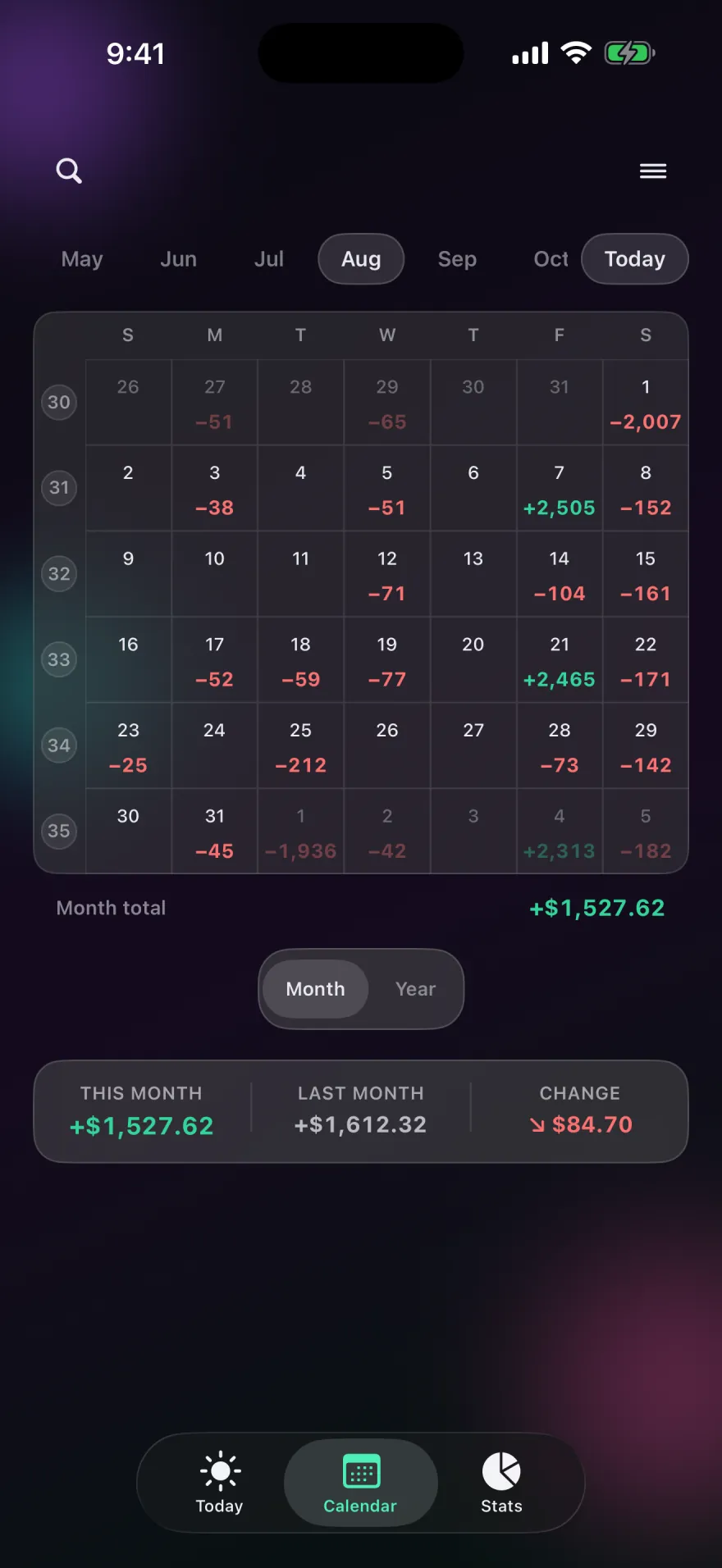
The calendar
Each square in the month view holds that day's net: green when more came in than went out, red when it didn't. An expensive weekend or a payday stands out without reading a single list. Tap a day to see its entries, and swipe between months.
Switch to the year view for twelve months at a glance with a total for the year. Under the grid, a strip compares this month with last month, or this year with last year, and shows the change.
Stats
Pick Week, Month or Year, and step back through earlier periods. The Stats screen is made of cards you can show, hide and reorder:
- Spending by tag, a donut of where the money went, which you can switch to income tags.
- Income vs expenses, with the percentage of income you saved.
- Trend and trend line, how your net built up over the period.
- Spending by card, for each card you've added.
- Highlights and net summary, the short version of the period.
- Net worth, if you've set it up.
Tracking credit card spending
Add the cards you use in Settings, give each one a name and an icon, and pick the card when you log an entry paid online or at a till. Spending by Card then shows what each card is actually costing you, which helps when one card quietly carries most of your spending. Pocket PnL never asks for card numbers; a card is just a label you choose.
Search
Search covers notes, tags, payment methods, amounts and dates. Narrow it down with filters for money in or out, tags, payment method (cash, online or point of sale), cards, a date range, and a minimum or maximum amount. Select several results to see their total, which answers questions like "what did I spend on restaurants in September?" in a few taps.
Start with today's coffee.
There's no account to make first. Open the app, tap minus and type the amount.
Free on iPhone. Needs iOS 17 or later.