
A net worth tracker you never have to connect to a bank
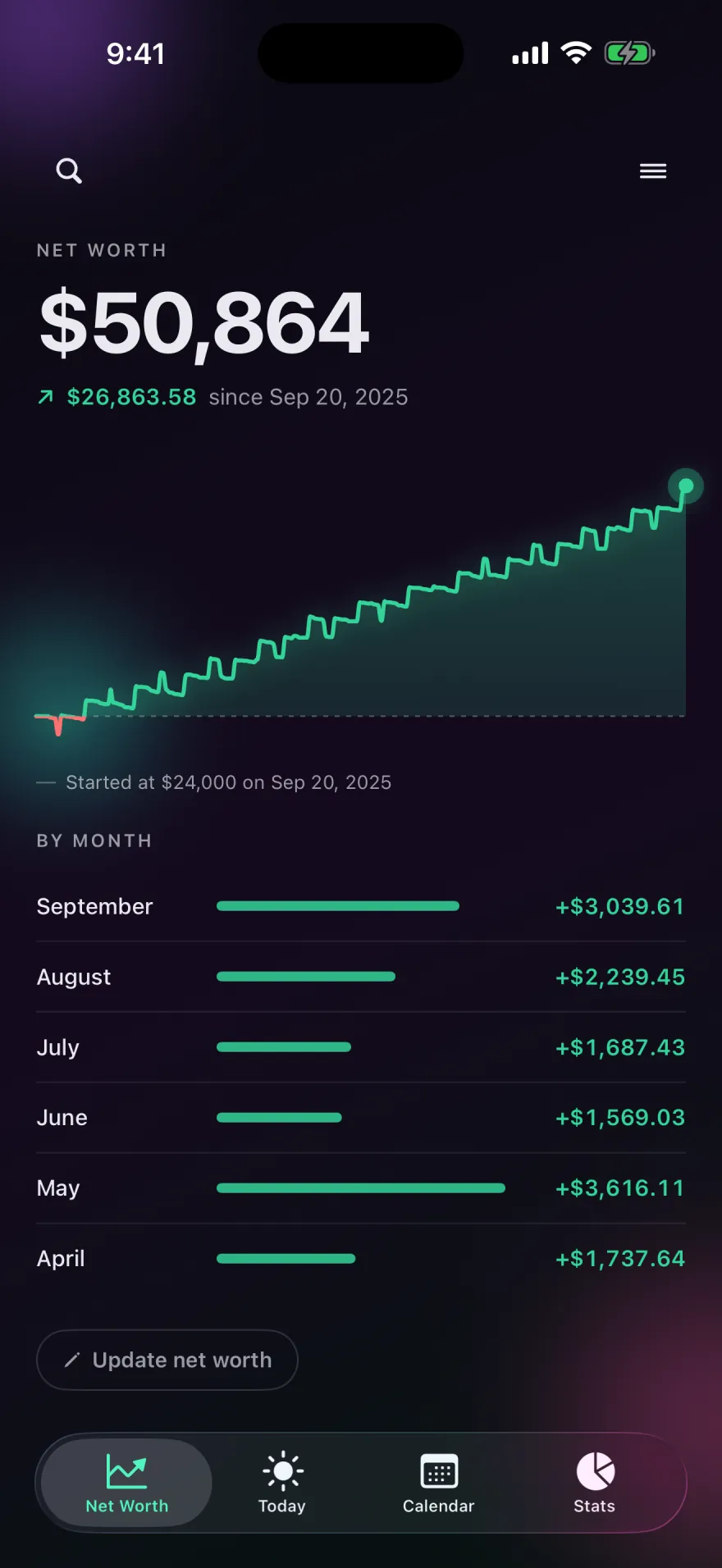
Tell Pocket PnL what you're worth on one date. From then on, every income and expense you log moves the number, and the chart shows how it changed month by month.

Free on iPhone. Needs iOS 17 or later.
How it works
Many net worth apps ask you to link every account so they can pull balances. Pocket PnL takes a simpler route. You enter one figure, the total of what you own minus what you owe, and the date it was true. Everything you log on or after that date counts toward it, including entries you had already logged.
After that you don't type the number again. Log your pay and it goes up; log rent and it goes down. If you owe more than you own, enter a negative figure and watch it climb toward zero.
The chart
The Net Worth tab draws your figure as a curve, green above where you started and red below it. Drag along the curve to read the value on any day. Underneath, a By Month list shows how much the number changed each month, which makes a good month and a bad one easy to compare.
There's also a Net Worth widget for your Home Screen, and a net worth card you can add to Stats.
When to update the figure
Pocket PnL tracks the money you log. It doesn't see investment returns, a change in your home's value, or interest building on a loan. When those move enough to matter, tap Update net worth and enter a fresh figure for that date. Many people do this once a month or once a quarter, for example when they check their retirement account.
Working out your starting number
Add up what you own: cash, savings, investments, and the value of things like a car or home. Subtract what you owe: credit cards, student loans, car loans, a mortgage. The result is your net worth. It's fine to round, since the point is to see the direction it moves. Our guide on how to calculate your net worth walks through an example.
When you first open the app, it offers to set this up. You can skip it and add it later from the Net Worth tab.
Start with today's coffee.
There's no account to make first. Open the app, tap minus and type the amount.
Free on iPhone. Needs iOS 17 or later.